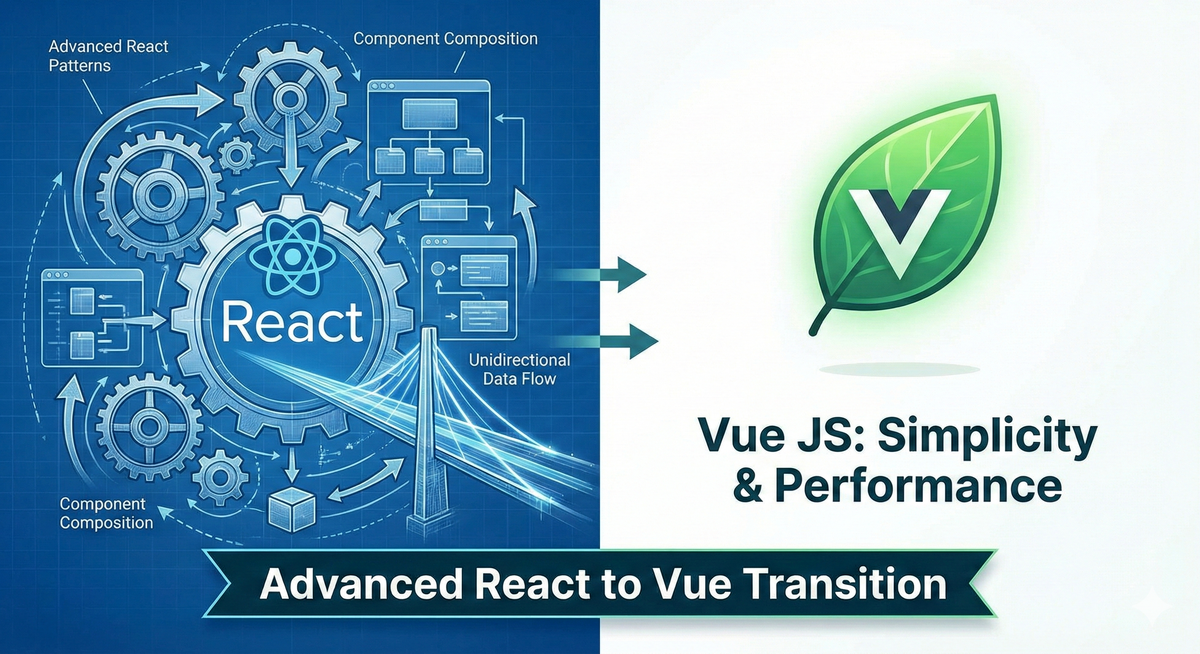
Elevating Your Web Architecture: React Scaling Patterns vs. The Vue JS Alternative
In the modern landscape of front-end development, building a simple Single-Page Application (SPA) has become incredibly accessible. However, building an application designed to scale—one that can handle massive data flow, complex state interactions, and enterprise-scale features—requires more than just an understanding of simple component rendering. The true test of an engineer lies not in what they can build, but in how they structure it.
We will first dive into how React manages large-scale architecture through composition and data flow. Then, we will explore why Vue JS is emerging as a powerful alternative, bridging the gap between high performance and simplified logic. Finally, we'll examine exactly how both frameworks optimize performance under the hood so you can make informed architectural decisions.
React at Scale: Composition Over Inheritance
A common architectural trap engineers fall into when transitioning from traditional Object-Oriented Programming (OOP) to React is reaching for inheritance. When multiple UI elements share similar functionality, the OOP instinct is to create a base UIComponent class and extend it.
React explicitly discourages this. React promotes code reusability through Composition.
Instead of inheriting behavior, components should be constructed by assembling smaller, independent pieces. This approach utilizes nested structures to create a clear separation of concerns. You build container components (smart components) to handle business logic, data fetching, and state management. You pass data down from these containers into presentational components (dumb components), which focus purely on UI rendering.
The Power of props.children
A primary tool for enabling composition in React is props.children. This special prop allows a parent component to act as a layout wrapper, rendering whatever elements are passed between its opening and closing tags.
JavaScript
// A reusable shell component
const ModalShell = ({ title, children }) => (
 <div className="modal-backdrop">
    <div className="modal-content">
      <h2>{title}</h2>
      <div className="modal-body">
        {children} {/* Renders whatever is passed inside the component */}
      </div>
    </div>
 </div>
);

// Usage
const UserProfileModal = () => (
 <ModalShell title="Edit User">
    <form>
       {/* Form fields here */}
    </form>
 </ModalShell>
);
This pattern provides immense flexibility. You can create reusable UI shells (like Modals, Sidebars, or Page Layouts) that are agnostic to the content they contain. The ModalShell doesn't need to know if it's rendering a login form or a user profile; it just provides the structure.
Unidirectional Data Flow & State Lifting
React architecture relies heavily on Unidirectional Data Flow. Data moves strictly in one direction: downward from parents to children via props. This creates a predictable environment where a child component cannot accidentally modify the state of a parent or sibling component directly.
But what happens when two sibling components need to access and modify the same data?
This is where the strategy of State Lifting becomes essential. By moving the shared state up the component tree to the nearest common ancestor, you ensure there is a "single source of truth."
If Component A and Component B both need a counter variable, you do not duplicate the state in both. You lift the counter state to their parent, Component Parent. The parent then passes the counter value down as a prop, alongside a callback function (e.g., onIncrement) to allow the children to trigger state updates in the parent.
The Prop Drilling Problem
While State Lifting is necessary, it can lead to a maintenance nightmare known as prop drilling. When state needs to be shared between two components located far apart in the DOM tree, you may find yourself passing props down through five or six layers of intermediate components that don't actually need the data—they are simply acting as messengers.
JavaScript
// A simplified example of prop drilling
const Grandparent = ({ userData }) => <Parent userData={userData} />;
const Parent = ({ userData }) => <Child userData={userData} />;
const Child = ({ userData }) => <Grandchild userData={userData} />;
const Grandchild = ({ userData }) => <span>{userData.name}</span>;
To solve prop drilling in complex React applications, engineers typically introduce global state management tools like Redux, or utilize the native React Context API. However, setting up explicit state management requires significant boilerplate and introduces "architectural overhead"—a cost that teams must weigh against the size of the application.
Introduction to Vue JS Basics: A Balanced Alternative
As we look at the pillars of modern frontend development, Vue JS emerges as a powerful alternative to React’s methodology.
While React emphasizes modularity through a strict, JavaScript-centric approach (where everything, even markup via JSX, is handled in JS functions), Vue balances the roadmap by offering a highly approachable, template-based model. It provides a system that handles reactivity with significantly less manual boilerplate.
Vue serves as an excellent bridge for developers who demand high performance and scalability but want to avoid the immediate architectural overhead of React’s explicit state management and complex hook rules. In Vue, the distinction between HTML, CSS, and JavaScript remains physically present within a Single File Component (.vue file), making it highly intuitive for teams transitioning from traditional web development.
Advanced Vue Component Logic
Scaling in Vue requires transitioning from simple directives (like v-if and v-for) to complex state management. However, as applications grow in scope, maintaining modularity remains the key.
Vue achieves modularity and scaling effortlessly through its unique Reactivity System.
The Vue Reactivity Engine
Unlike React, where updating state triggers a re-render of the component and all its children (unless manually optimized), Vue automatically tracks dependencies behind the scenes.
When a Vue component renders, it "touches" the data properties it needs. Vue records this interaction. If that specific piece of data changes later, Vue knows exactly which components rely on it. This ensures that only the components truly affected by a data change are re-rendered.
This transparent dependency tracking means that in many scenarios, a Vue application will be highly optimized out-of-the-box without the developer needing to explicitly write optimization logic.
Performance and Optimization: A Framework Comparison
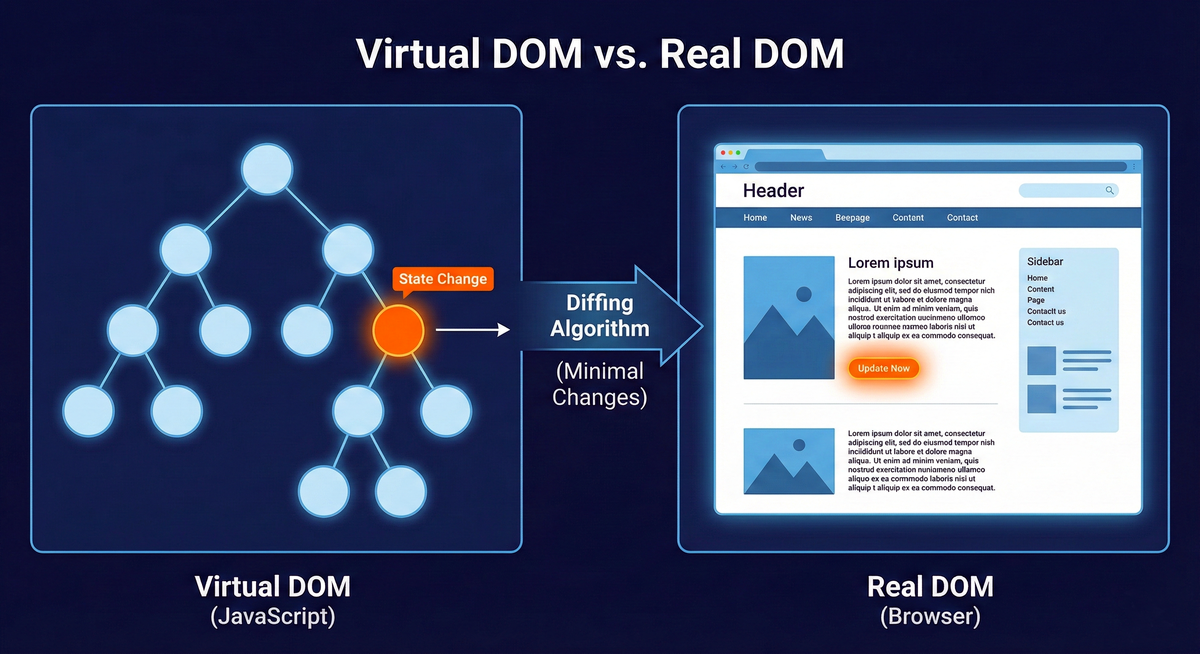
Optimization in modern web frameworks generally revolves around managing the Virtual DOM.
Virtual DOM: A lightweight, JavaScript-based representation of the actual browser DOM. Updating the real DOM is slow; updating a JavaScript object is fast. Frameworks calculate changes in this Virtual DOM before applying them to the screen.
Diffing: The algorithmic process of comparing the previous Virtual DOM tree with the new one to identify the minimal set of changes required for the browser DOM.
React Optimization Strategies
React is fast, but it relies on the developer to tell it when not to render. If a parent component re-renders, React will re-render all of its children by default, even if their props haven't changed.
To optimize React, engineers use tools like React.memo for functional components or PureComponent for class components. These tools tell React to perform a shallow comparison of props; if the props are identical to the last render, React skips the diffing process for that component.
Vue Optimization Strategies
Vue’s optimization parallels the React Virtual DOM but automates much of the manual work. Because of its dependency tracking, Vue inherently knows when a component doesn't need to update.
However, as a Vue application scales, developers must still focus on managing reactivity boundaries. By utilizing component isolation and keeping state local whenever possible (rather than putting everything in a global store like Vuex or Pinia), you prevent widespread, unnecessary updates across the hierarchy. Just as we use PureComponent in React, Vue developers focus on keeping data structures flat and state localized to keep the application fast as it scales.
Choosing Your Framework Architecture
Choosing between these frameworks is rarely about which is "better"—it is about what fits the project’s specific architectural needs and the team's composition.
Angular: Best for enterprise environments requiring high Structure and the strict discipline of TypeScript. It is highly opinionated and provides a uniform way to build large-scale applications.
React: Best for projects needing extreme Flexibility and access to a massive ecosystem of libraries. It allows you to build your architecture exactly how you want it, making it ideal for unique or highly complex applications.
Vue: Best for teams prioritizing Simplicity and performance with a shallow learning curve. It provides excellent out-of-the-box performance and a gentle ramp-up to advanced scaling concepts.
Glossary of Key Concepts
To truly master frontend engineering, you must be precise with terminology.
SyntheticEvent: A React-specific, cross-browser wrapper around a native browser event. It ensures consistent behavior across different platforms (like standardizing event properties) and pools event objects to manage memory efficiently.
Virtual DOM: A lightweight, JavaScript-based representation of the actual browser DOM, used to calculate UI changes efficiently without incurring the performance cost of direct DOM manipulation.
Diffing: The algorithmic process a framework uses to compare the previous Virtual DOM tree with the new one to identify the minimal set of changes required for the real browser DOM.
Re-rendering: The process of executing a component's render logic (whether a render function in React or template compilation in Vue) to update the user interface in response to changes in state or props.
State Lifting: The practice of moving shared state to the closest common ancestor of the components that need it, establishing a single source of truth.
Final Assessment: Moving Beyond the Syntax
To truly master these frameworks, you must move beyond the "how" (memorizing syntax) and understand the "why" (how the underlying engines operate).
Here is a Terminal Question to test your knowledge:
Why might logging this.state (or a useState variable) to the console immediately after a state update call still show the old value?
If you can explain the batched, asynchronous nature of React's update cycle—how React groups multiple setState calls together into a single update pass for performance, meaning the state hasn't actually mutated at the moment you log it—you are well on your way to a senior-level understanding of frontend architecture.
Practice these concepts by isolating your state updates, experimenting with composition over inheritance, and testing how different data flow techniques affect your component's memory usage and render cycles. The modern web is built on these foundational interactions—master them, and you master the roadmap.